> ## Documentation Index
> Fetch the complete documentation index at: https://docs.frate.com/llms.txt
> Use this file to discover all available pages before exploring further.
# Basic Usage
## Who is this for?
You **work with returns data** for a Shopify brand. You are most likely a developer that works directly for a brand, or at a B2B company which works with brands (3PL, WMS, CX automation, etc.)
## Preview
Look how easy it is to setup a webhook subscription:
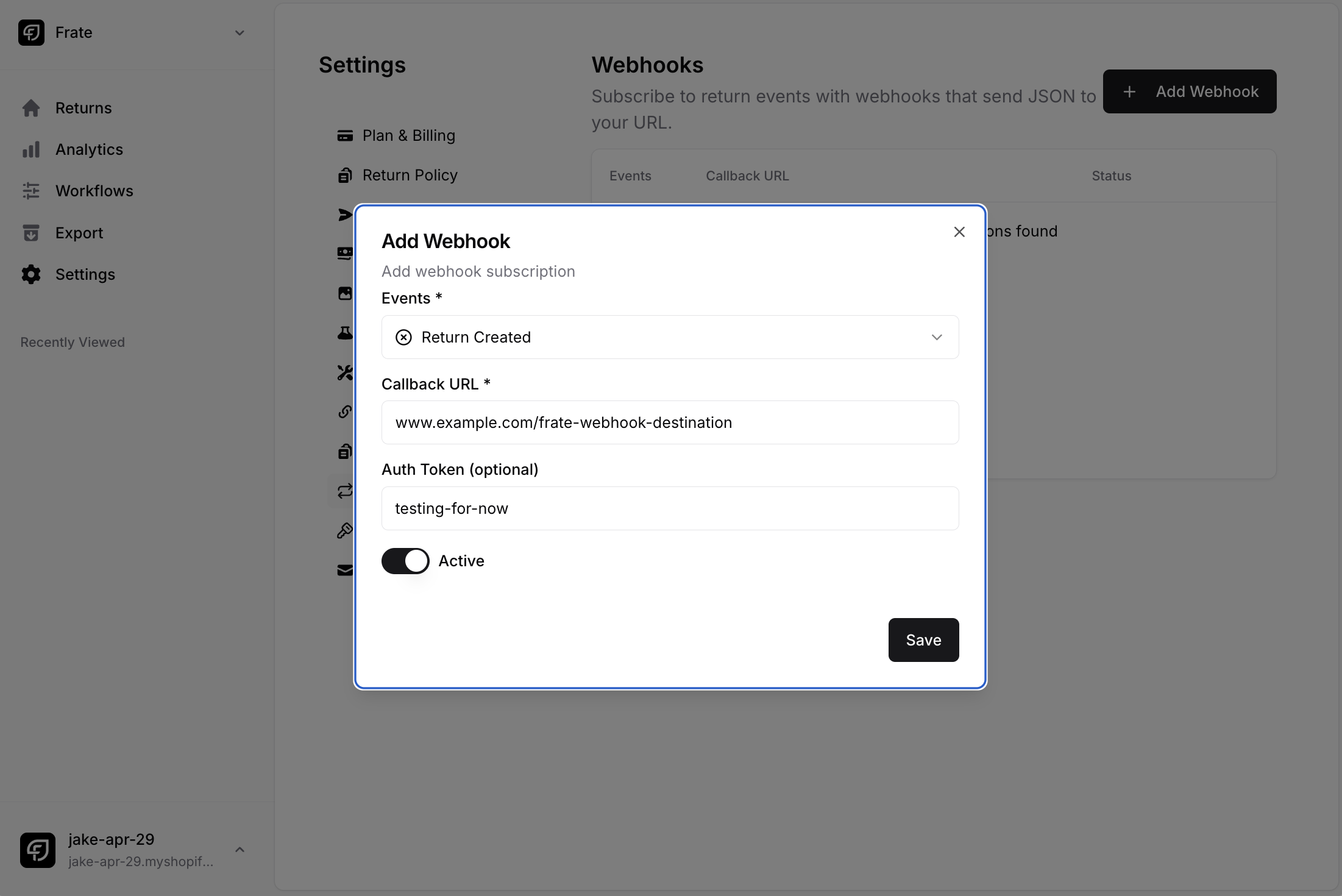 With this setup, whenever a [ReturnGroup](/api-reference/endpoints/return-groups) is created, a POST request to the provided Callback URL will be sent with the following headers:
```json theme={null}
{
"Frate-Signature-Hmac-Sha256": ,
"Content-Type": "application/json"
}
```
And the following data:
```json theme={null}
{
"topic": "return.created",
"data": ,
},
```
It is the responsibility of the webhook receiver (you) to setup a callback URL to receive these webhook events, and to implement HMAC verification on the events to ensure that they are coming from Frate.
## Topics
The available topics are:
1. `return.created`
2. `return.updated`
3. `return.canceled`
4. `return.flagged`
5. `refund.created`
6. `exchange.hold_released`
7. `exchange.canceled`
8. `label.scanned`
The topics define the trigger of the webhook event, and all topics will return the [ReturnGroup](/api-reference/endpoints/return-groups) data structure in the `data` field of the webhook event payload.
With this setup, whenever a [ReturnGroup](/api-reference/endpoints/return-groups) is created, a POST request to the provided Callback URL will be sent with the following headers:
```json theme={null}
{
"Frate-Signature-Hmac-Sha256": ,
"Content-Type": "application/json"
}
```
And the following data:
```json theme={null}
{
"topic": "return.created",
"data": ,
},
```
It is the responsibility of the webhook receiver (you) to setup a callback URL to receive these webhook events, and to implement HMAC verification on the events to ensure that they are coming from Frate.
## Topics
The available topics are:
1. `return.created`
2. `return.updated`
3. `return.canceled`
4. `return.flagged`
5. `refund.created`
6. `exchange.hold_released`
7. `exchange.canceled`
8. `label.scanned`
The topics define the trigger of the webhook event, and all topics will return the [ReturnGroup](/api-reference/endpoints/return-groups) data structure in the `data` field of the webhook event payload.